Getting Started
A Pi app is a web app that runs inside the Pi Browser and uses the Pi SDK to authenticate Pioneers and accept Pi payments. If you can build a web app, you can build a Pi app.
Start by setting up your accounts and registering your app in the Developer Portal. With that done, Build an App takes you through a working integration end to end.
Architecture
A Pi app has two halves:
- An app frontend, which loads the Pi SDK and calls it to authenticate users and start payments.
- An app backend, which uses the Platform API to verify those users and approve and complete payments.
Both halves are required. The frontend can only start a flow — identity verification and payment settlement must happen on your server, where your Server API Key is safe.
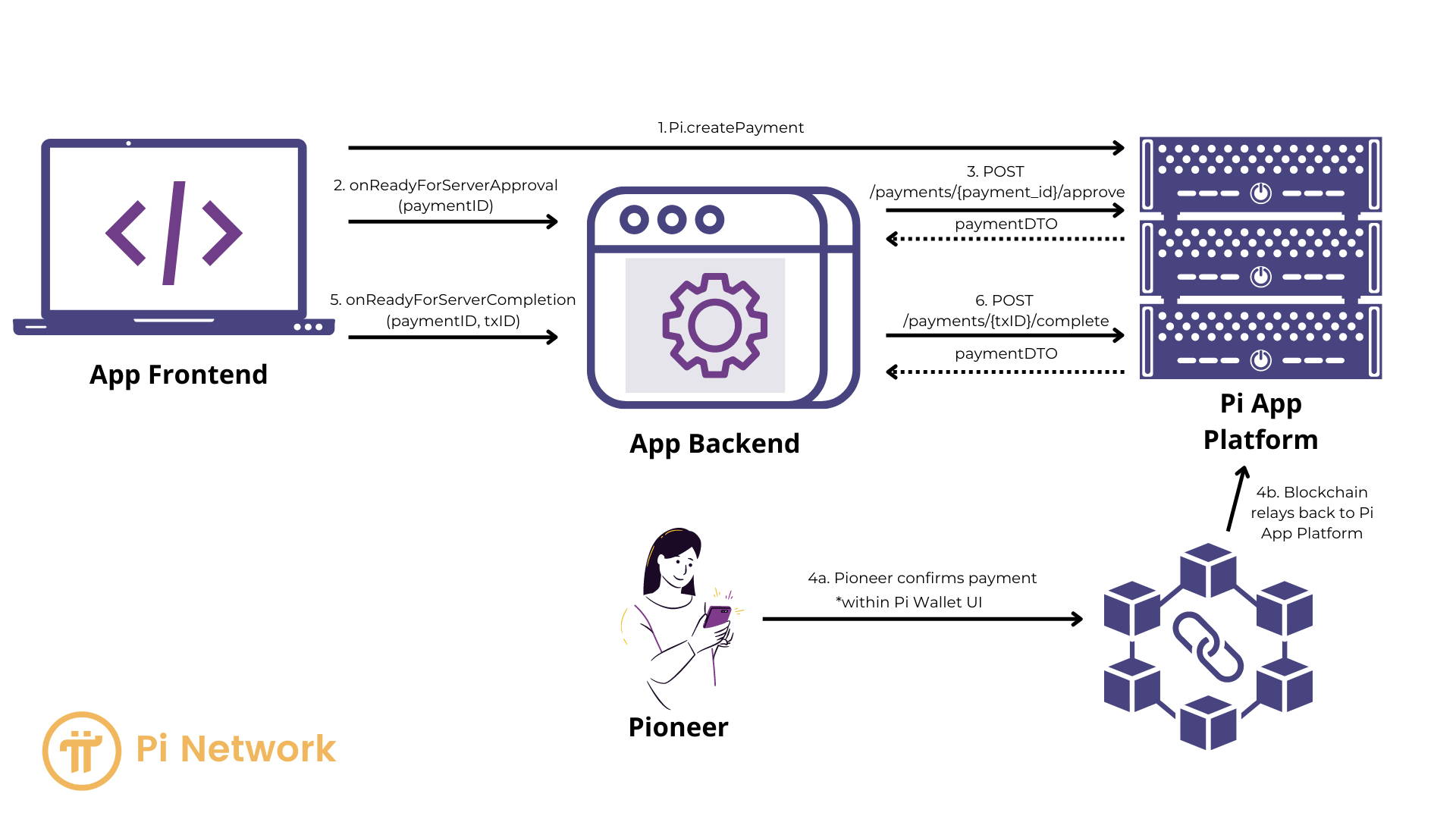
How you integrate
Your frontend loads the SDK from a script tag and uses the global window.Pi object:
Pi.init() to start it, Pi.authenticate() to sign a Pioneer in, and Pi.createPayment()
to charge them. Your backend verifies the resulting access token against GET /v2/me and
approves and completes each payment through the Platform API.
Include the SDK script in every environment, including production — the Pi Browser does not
inject window.Pi for you. Never skip the server-side payment handshake, and do not
substitute a wrapper library for the SDK.
Build an App walks through the whole flow with working code.
Demo apps
Want to see how others are building on Pi? Pi Bakery was built by the Pi Core Team and uses the Pi SDK and Platform API. Try it on the Pi Testnet at demo.pi, and read the source on GitHub.